Today's Amazon delivery:
- Bluetooth keyboard that I can use with my Duo 2 (and other devices, potentially, but primarily for the phone.)
- Eyeglass wipes to get rid of the smudges, dust, and dead skin which continuously collect on my eyeglasses.
- 3M anti-slip material so I can apply some small bits to my trackball which has a propensity for sliding off my laptop when I transition it from my lap to the table next to me.
I absolutely love my Duo 2, but for doing any writing beyond quick notes or social media posts, I simply find the typing experience on screen untenable. This Logitech keyboard has a trough for the devices to sit in, and it can be used to connect to up to 3 different devices thanks to the toggle.
So, the idea is that when I am at work on lunch, or out somewhere else with my daily bag, the keyboard unlocks the Duo 2 as a full computer-esque replacement.

 |
|
Surface Duo 2 + Smartwatch = Amazing
[Disclaimer: This post mentions D&D. I work for the makers of Dungeons and Dragons.]
Yesterday was a full week that I've had my Galaxy Watch 4 and I can conclusively say that the combination of a smartwatch and the Surface Duo 2 has been fantastic. They are something I heartily recommend to any power user for their phone.
I love my Surface Duo 2. I love having two screens and I love the overall form factor. Especially for things like reading and making notes, running D&D, or even for this blog, I can have social media on one screen and this blog's admin on the other. In all of these, the device excels.
I have also come to love the response from others when they first see it and watch as I pull it out and unfold it's two screens. My friend Scott, when I first used it in front of him asked, "What is this marvelous device?"
That said, I was frustrated by my Duo 2 because it's design hindered the quick-use needs I have for a phone. Jotting a note, reading a text, checking the time, etc. All of these are no longer a quick one-handed act of pulling out my phone and thumbing my password in, and then doing what I need. Now it required two hands. Add to that, that the phone's closed screen makes notifications much harder to get if you aren't using your device. If my wife texted me, I would often miss it during the day at work. None of these were enough to make me want to switch my phone, but they were annoyances.
Enter the Samsung Galaxy 4 smartwatch.
I had been planning to give smartwatches another go with Google's Pixel watch, slated to arrive sometime this year. But a few weeks ago Woot.com had a deal of getting the Galaxy Watch 4 for less than $200. That seemed like a good deal, and some online research confirmed it. So I pulled the trigger.
I had tried using a smartwatch before, prior to the Surface Duo 2, I think it was 2014ish with a "normal" smartphone. I found the watch to be fun but unneccessary as I often had my phone out on the table or desk in front of me, or even more readily available as I frequently would simply be holding it in my hand whenever I was out and about.
But, with the Duo 2 and it's closed-book form factor, having a means to quickly access notifications and do most of the small things I found myself wanting to do - has been fantastic. Google's Wear OS has come a long way and provides so much extension to the phone's capabilities. When I first had a smartwatch, it just felt like a toy. Sure, I could see messages, etc. But the overall abilities of the early watch just weren't compelling. Now, in addition to solving my ease-of-access issues, it provides more capabilities and health monitoring things, etc.
So, if you're thinking of getting a Surface Duo 2, I encourage you to do so. Maybe you won't find the same issues I did, but if you do, I then encourage you to try adding a smartwatch. I don't think it has to be the Galaxy 4, but I am happy with mine.
|
Volo's New Jacket
I received my cover for Volo (my Duo 2) today. It was needed so I could make use of the Surface thin pen stylus. I immediately put it on the device and have begun using the pen. I won't say yet it is my default input, I'm still figuring out how best to use it. I do like that OneNote can immediately switch to written input when the stylus is near the screen.
I will also note, I wasn't sure how secure the stylus would feel sticking to Volo. I'm not sure it will stay attached when they are both in my pocket, but I have absolutely no concern that it might come loose when I'm just carrying it and walking around.
|
Volo (Duo 2) Update
I'm officially a fan of the Duo 2. Ever since getting Volo up and running, I have only turned my previous phone on to transfer my 2fa code authorizations over. Other than that, I have not turned that phone on.
I love the two screen dynamic. I almost never use the phone in single screen mode, basically only when making a phone call. Other than that, I leave it open with both screens accessible. I'm still finding my ideal workflows and screen layout, but what it currently amounts to is the left (or top, depending on phone orientation) is the video for consuming information. Watching videos, reading books, reading articles, etc. The right (or bottom) screen is for acting. Taking notes, multi tasking, messaging, etc.
Taking notes particular has caused me to rethink my system. I am a big fan of Notion, but I am also keenly aware that I am now locked into their platform. If they go bust, or if they get bought out and then the new owner decides to strip it for parts, I'm going to have a hard time porting what is already in there over to a new platform. As such, I am trying to make a hard pivot to Obsidian. Obsidian uses text files, formatted with Markdown, so they are entirely portable and will live forever, even if the Obsidian app dies somewhere along the way.
Given the work I had to go through to import my tweets into a MySQL database, I am loathe to really delve into another similar platform trap.
Additionally, my note taking is hampered by the lack of use of the pen stylus. The case which will unlock that functionality will arrive on Thursday, and I find out then if it is that big of an upgrade for me or not. I will say, having it require the case (because I don't have another means of charging it since this is my own Surface device) is one of the bigger negatives I have about it all so far.
That said, I spent over an hour this evening reading with an ebook open on my left screen, and a Notion tab open on the other, to capture my highlighted passages and a few small associated notes. Perhaps fittingly I'm currently reading a book titled 'How To Take Smart Notes" by Sönke Ahrens, which is a book repeatedly cited by people online relating to note taking and organization. Here are a few of my highlights from the book:
- Writing is not what follows research, learning or studying, it is the medium of all this work. And maybe that is the reason why we rarely think about this writing, the everyday writing, the note-taking and draft-making. Like breathing, it is vital to what we do, but because we do it constantly, it escapes our attention.
- Every task that is interesting, meaningful and well-defined will be done, because there is no conflict between long- and short-term interests. Having a meaningful and well-defined task beats willpower every time. Not having willpower, but not having to use willpower indicates that you set yourself up for success.
- Studies on highly successful people have proven again and again that success is not the result of strong willpower and the ability to overcome resistance, but rather the result of smart working environments that avoid resistance in the first place (cf. Neal et al. 2012; Painter et al. 2002; Hearn et al. 1998).
All quotes captured on Volo as I sat in my recliner. I look forward to improving and expanding this system and as I use the device.
|
 Meeting Volo
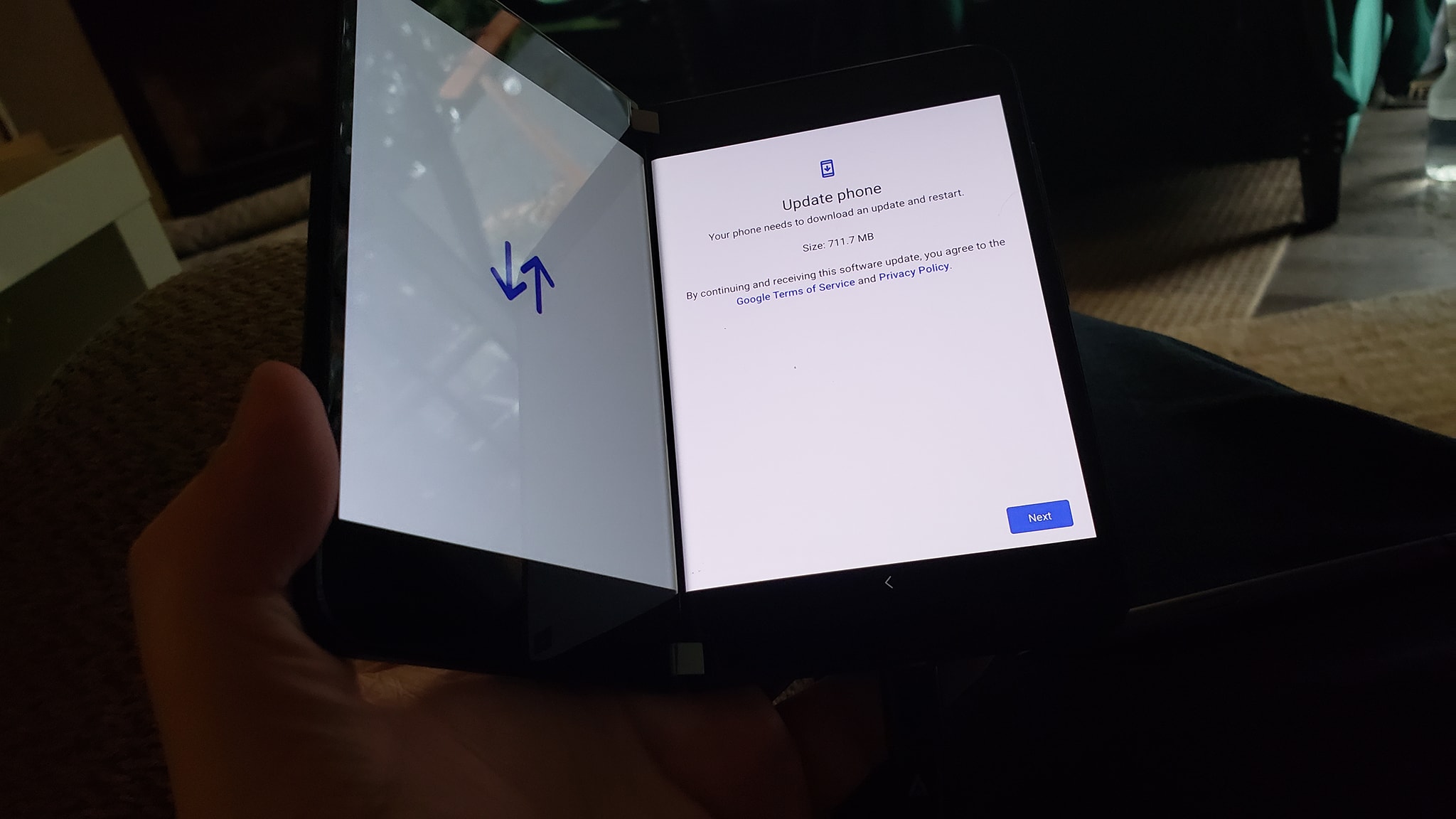
Two days ago my trusty and beloved Note 9's screen began to flicker and threaten to die on me. As someone who relies on a mobile device very heavily, that meant there was no delay and it was time for an upgrade.
In my mind, and after my research, there were two options: Samsung's S22 Ultra, their latest flagship, as well as the dark horse candidate, Microsoft's Surface Duo 2. The S22 was the obvious choice. I was already in the Samsung ecosystem and it was a slick phone. We went to Best Buy hoping I could get a hands on with the phone, only to find that their display model had been stolen and thus I wasn't able to.
I'd been watching and reading reviews. The Surface Duo 2 was largely panned when it initially released due to lots of bugs in the software. Since it's release it sounded like Microsoft had cleaned up and fixed the majority of the issues. I had also been infatuated with the double screens as I saw the interface as a possible tool in my minimal setting for DMing D&D. I could have my session prep notes on the left and active notes or combat tracking or maps, etc. on the right screen.
So, without having actually held it, I bought one. It is expensive, but when I consider that it's two screens, the price difference over other major phones is a little easier to swallow. A little.
--
Having had the phone for a bit over 18 hours, I can say, overall, I am quite enjoying it. The double screen functionality feels very much like the first time I used a computer with two monitors and I realized the potential of extra screen real estate. So far, I have almost exclusively used it without having an app span both screens. When I have experimented with the spanning, it's worked fine overall, you have work around the gap between the two monitors, or have it be an app that is set up to utilize both screens.
One of the insights that someone shared with me about the Duo is that, the form factor and design, does not facilitate quick use. It's hard to use one handed, thankfully for hands my size it is mostly usable with one hand (assuming it's already folded open into one-hand mode.) But if it's a closed book, then it's tricky. Even more than the one-handed difficulties, it is a little different and "slower."
For example, the ease of snapping a quick photo on most smartphones is extremely quick and easy. With the Duo 2, you have to fold it open to use. So if you're a parent of a young child needing to snap a photo of the moment they take their first steps you might miss it if you aren't prepared. While yes, I am sure the relative slowness to snap photos will be an issue, it isn't a primary use case for me and my phone.
Along with the phone, I also bought their stylus. However, as I have since learned, to utilize the stylus with the phone, I need a specific cover for it - One which appears to be sold out everywhere. These are all sold separately, which is frustrating. I get it, the stylus is also designed to be used with other Surface devices, so it doesn't need to be bundled with the case, but it's still frustrating as now I have to wait to find the cover somewhere before I can make use of it. Such is the modern times, it is ultimately a small frustration.
So far, I have no problems with the phone. I'm still figuring out how to do things or figuring out my preferred workflows. The ability to pair apps and have them open on both screens is cool. I purposefully didn't transfer over all my previous apps, opting to start this phone fresh and re-install only what I actively use. Right now, I am attempting to use Obsidian as my mobile phone organizer. I'm just trying to find the best syncing solution. I'll share more once I figure it all out.
Lastly, the name. why am I calling it Volo? Well, it's a double naming. The first meaning is for Ukraine and recognizing their president during the invasion from Russia. Secondly, Volo is also a character in D&D Lore. He's notable for being a writer of numerous books and tomes on topics. Seemed a fitting fictional namesake.
|
